




Copilotを使って開発しているときソースコードが大きくなってくればくるほどAIのソース理解度って低くなってきます。
毎回指示出す度に全部のコードを見てたらトークン量も編集時間も膨大になりますからね。
コードルールをドキュメントにしておいてそれに従って書くように求めても、しばらくしたら平気で無視しだしたりします。
「何度同じこと言わせるんじゃあ!」とイライラも募るばかりです。
自信満々に「完璧に理解した」と言ってくるAIがどれだけ信用ならないかを思い知っていくものです。
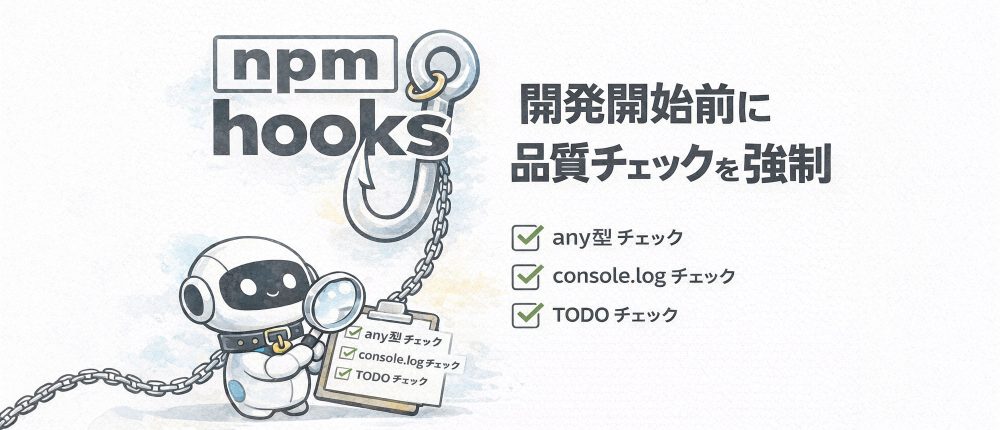
Claude Skillsのようなものもあり、それらを使えば解決するのかもしれないんですが、まだちゃんと使ったことがないので自分がTypeScript個人開発の時にやった、npm hooksを使って開発サーバー起動前に自動で品質チェックを強制した方法を紹介してみようと思います。
INDEX
npm hooksって何?
npm hooksは、npmスクリプトの前後に自動で実行されるスクリプトを設定できる機能です。
例えばnpm run devを実行する前に何か処理をしたい場合、predevというスクリプトを定義すればOK。
{
  "scripts": {
    "dev": "electron-vite dev",
    "predev": "echo 開発開始前だよ!"
  }
}こうすると、npm run devを実行したときに:
- predevが先に実行される(「開発開始前だよ!」と表示)
- その後devが実行される(開発サーバー起動)
という流れになります。
逆にpostdevを定義すれば、devの後に実行されます。
実装してみよう
それでは実際にpackage.jsonに設定を追加していきましょう。
1. チェックスクリプトをまとめる
まずは複数のチェックを一気に実行するcheck-allスクリプトを作成します:
{
  "scripts": {
    "check-all": "npm run check-ipc && npm run check-console && npm run check-any && npm run check-long-functions && npm run check-todos && npm run check-date-utils",
    "check-ipc": "ts-node scripts/verify-ipc-consistency.ts",
    "check-console": "ts-node scripts/check-console-usage.ts",
    "check-any": "ts-node scripts/check-any-type.ts",
    "check-long-functions": "ts-node scripts/check-long-functions.ts",
    "check-todos": "ts-node scripts/check-todos.ts",
    "check-date-utils": "ts-node scripts/check-date-utils.ts"
  }
}&&で繋いでいるので、どれか一つでも失敗したらそこでストップします。
エラーがあるのに開発サーバーが起動しちゃったら意味ないですからね。
2. predev/prebuildに仕込む
次に、開発とビルドの前にcheck-allが走るように設定します:
{
  "scripts": {
    "dev": "electron-vite dev",
    "predev": "npm run check-all",
    "build": "electron-vite build",
    "prebuild": "npm run check-all"
  }
}
これで動きます。
npm run devを実行すると、自動的に全チェックが走ってからサーバーが起動するようになりました。
チェックで問題が見つかった場合は、そこで処理が止まるので問題があるコードでは開発できない状態になります。
どんなチェックをしているか
それでは実際にどんなチェックを実装しているか、一つずつ見ていきましょう。
any型チェック
TypeScriptを使っているのにany型を使ってしまうと型安全性が失われてしまいますので、any型を探し出すスクリプトを作りました。
scripts/check-any-type.ts:
import * as fs from "fs";
import * as path from "path";

// チェック対象のディレクトリ
const TARGET_DIRS = ["src/main", "src/renderer", "src/types", "src/common"];

// 除外パターン
const EXCLUDE_PATTERNS = [
  /\.test\.ts$/, // テストファイル
  /\.spec\.ts$/, // スペックファイル
  /__mocks__/, // モックファイル
  /node_modules/, // node_modules
];

let hasError = false;

function checkFile(filePath: string): void {
  const content = fs.readFileSync(filePath, "utf-8");
  const lines = content.split("\n");

  lines.forEach((line, index) => {
    // コメント行は除外
    if (line.trim().startsWith("//") || line.trim().startsWith("*")) {
      return;
    }

    // any型の使用をチェック
    const anyPatterns = [
      /:\s*any\b/, // : any
      //, //
      /as\s+any\b/, // as any
      /\(any\)/, // (any)
      /Promise/, // Promise
      /Array/, // Array
    ];

    anyPatterns.forEach((pattern) => {
      if (pattern.test(line)) {
        console.error(`❌ any型が見つかりました: ${filePath}:${index + 1}`);
        console.error(`   ${line.trim()}`);
        hasError = true;
      }
    });
  });
}

function scanDirectory(dir: string): void {
  const files = fs.readdirSync(dir);

  files.forEach((file) => {
    const filePath = path.join(dir, file);
    const stat = fs.statSync(filePath);

    // 除外パターンチェック
    if (EXCLUDE_PATTERNS.some((pattern) => pattern.test(filePath))) {
      return;
    }

    if (stat.isDirectory()) {
      scanDirectory(filePath);
    } else if (filePath.endsWith(".ts") || filePath.endsWith(".tsx")) {
      checkFile(filePath);
    }
  });
}

console.log("🔍 any型の使用をチェック中...");

TARGET_DIRS.forEach((dir) => {
  if (fs.existsSync(dir)) {
    scanDirectory(dir);
  }
});

if (hasError) {
  console.error("\n❌ any型が見つかりました。型を明示的に指定してください。");
  process.exit(1);
} else {
  console.log("✅ any型は見つかりませんでした!");
}
実行すると:
🔍 any型の使用をチェック中...
❌ any型が見つかりました: src/main/core/database.ts:45
   private handleError(error: any): void {
❌ any型が見つかりました: src/renderer/components/Chat.tsx:120
   const response = await window.api.chat.send(message) as any;

❌ any型が見つかりました。型を明示的に指定してください。こんな感じで、anyが使われている場所を全部教えてくれます。
console.logチェック
ロガーは共通クラスを作成していて、ログを出すときはそれを使うルールにしています。
いたるところに共通クラスを使ったコードがあるし、何度も何度も「console.logをそのまま使うな」と言っているのに、AIは時間が少し経つと隙あらば使ってくるので強制的にチェックするようにしました。
scripts/check-console-usage.ts:
import * as fs from "fs";
import * as path from "path";

const TARGET_DIRS = ["src/main", "src/renderer"];
const EXCLUDE_PATTERNS = [
  /__mocks__/,
  /Logger\.ts$/, // Logger自体は除外
  /ErrorHandler\.ts$/, // ErrorHandlerも除外
];

let hasError = false;

function checkFile(filePath: string): void {
  const content = fs.readFileSync(filePath, "utf-8");
  const lines = content.split("\n");

  lines.forEach((line, index) => {
    // コメント行は除外
    if (line.trim().startsWith("//") || line.trim().startsWith("*")) {
      return;
    }

    // console.log/error/warn/debugの使用をチェック
    const consolePatterns = [
      /console\.log\(/,
      /console\.error\(/,
      /console\.warn\(/,
      /console\.debug\(/,
    ];

    consolePatterns.forEach((pattern) => {
      if (pattern.test(line)) {
        console.error(
          `❌ console使用が見つかりました: ${filePath}:${index + 1}`
        );
        console.error(`   ${line.trim()}`);
        console.error(`   → Logger.info/error/warn/debug を使用してください`);
        hasError = true;
      }
    });
  });
}

function scanDirectory(dir: string): void {
  const files = fs.readdirSync(dir);

  files.forEach((file) => {
    const filePath = path.join(dir, file);
    const stat = fs.statSync(filePath);

    if (EXCLUDE_PATTERNS.some((pattern) => pattern.test(filePath))) {
      return;
    }

    if (stat.isDirectory()) {
      scanDirectory(filePath);
    } else if (filePath.endsWith(".ts") || filePath.endsWith(".tsx")) {
      checkFile(filePath);
    }
  });
}

console.log("🔍 console使用をチェック中...");

TARGET_DIRS.forEach((dir) => {
  if (fs.existsSync(dir)) {
    scanDirectory(dir);
  }
});

if (hasError) {
  console.error(
    "\n❌ console使用が見つかりました。Loggerクラスを使用してください。"
  );
  process.exit(1);
} else {
  console.log("✅ console使用は見つかりませんでした!");
}
DateUtils 使用チェック
こちらも同様に共通クラスを使うルールにしています。
scripts/check-date-utils.ts:
import * as fs from "fs";
import * as path from "path";

const TARGET_DIRS = ["src/main", "src/renderer"];
const EXCLUDE_PATTERNS = [
  /DateUtils\.ts$/, // DateUtils自体は除外
  /__tests__/, // テストは除外
  /\.test\.ts$/,
  /\.spec\.ts$/,
];

let hasError = false;

function checkFile(filePath: string): void {
  const content = fs.readFileSync(filePath, "utf-8");
  const lines = content.split("\n");

  // DateUtilsをimportしているかチェック
  const hasDateUtilsImport = /import.*DateUtils.*from/.test(content);

  lines.forEach((line, index) => {
    // コメント行やimport行は除外
    if (
      line.trim().startsWith("//") ||
      line.trim().startsWith("*") ||
      line.trim().startsWith("import")
    ) {
      return;
    }

    // new Date()の使用をチェック
    if (/new\s+Date\(/.test(line)) {
      console.error(`❌ new Date()が見つかりました: ${filePath}:${index + 1}`);
      console.error(`   ${line.trim()}`);
      console.error(
        `   → DateUtils.now() / DateUtils.parse() を使用してください`
      );
      hasError = true;
    }

    // Date.now()の使用をチェック
    if (/Date\.now\(/.test(line)) {
      console.error(`❌ Date.now()が見つかりました: ${filePath}:${index + 1}`);
      console.error(`   ${line.trim()}`);
      console.error(`   → DateUtils.now() を使用してください`);
      hasError = true;
    }
  });
}

function scanDirectory(dir: string): void {
  const files = fs.readdirSync(dir);

  files.forEach((file) => {
    const filePath = path.join(dir, file);
    const stat = fs.statSync(filePath);

    if (EXCLUDE_PATTERNS.some((pattern) => pattern.test(filePath))) {
      return;
    }

    if (stat.isDirectory()) {
      scanDirectory(filePath);
    } else if (filePath.endsWith(".ts") || filePath.endsWith(".tsx")) {
      checkFile(filePath);
    }
  });
}

console.log("🔍 Date使用をチェック中...");

TARGET_DIRS.forEach((dir) => {
  if (fs.existsSync(dir)) {
    scanDirectory(dir);
  }
});

if (hasError) {
  console.error(
    "\n❌ Date直接使用が見つかりました。DateUtilsを使用してください。"
  );
  process.exit(1);
} else {
  console.log("✅ Date使用は適切です!");
}
テストでモック化しやすくなるし、統一的な日付処理ができるので一石二鳥です。
長い関数チェック
長い関数は読みにくいし、バグの温床になりがちです。
ということで、一定行数を超える関数を検出します。
scripts/check-long-functions.ts:
import * as fs from "fs";
import * as path from "path";

const TARGET_DIRS = ["src/main", "src/renderer"];
const MAX_FUNCTION_LINES = 100; // 100行を超える関数は警告
const EXCLUDE_PATTERNS = [/__mocks__/, /\.test\.ts$/, /\.spec\.ts$/];

let hasWarning = false;

function checkFile(filePath: string): void {
  const content = fs.readFileSync(filePath, "utf-8");
  const lines = content.split("\n");

  let currentFunction: {
    name: string;
    startLine: number;
    braceCount: number;
  } | null = null;

  lines.forEach((line, index) => {
    const trimmed = line.trim();

    // 関数定義を検出
    const functionMatch = trimmed.match(
      /(?:function|async\s+function)\s+(\w+)|(?:const|let|var)\s+(\w+)\s*=\s*(?:async\s+)?\(|(\w+)\s*\(.*\)\s*{/
    );

    if (functionMatch && !currentFunction) {
      const funcName = functionMatch[1] || functionMatch[2] || functionMatch[3];
      currentFunction = {
        name: funcName,
        startLine: index + 1,
        braceCount:
          (line.match(/{/g) || []).length - (line.match(/}/g) || []).length,
      };
    } else if (currentFunction) {
      // ブレースのカウント
      const openBraces = (line.match(/{/g) || []).length;
      const closeBraces = (line.match(/}/g) || []).length;
      currentFunction.braceCount += openBraces - closeBraces;

      // 関数終了を検出
      if (currentFunction.braceCount === 0) {
        const functionLength = index + 1 - currentFunction.startLine + 1;

        if (functionLength > MAX_FUNCTION_LINES) {
          console.warn(
            `⚠️  長い関数が見つかりました: ${filePath}:${currentFunction.startLine}`
          );
          console.warn(`   関数名: ${currentFunction.name}`);
          console.warn(
            `   行数: ${functionLength}行 (制限: ${MAX_FUNCTION_LINES}行)`
          );
          console.warn(`   → 関数を分割することを検討してください\n`);
          hasWarning = true;
        }

        currentFunction = null;
      }
    }
  });
}

function scanDirectory(dir: string): void {
  const files = fs.readdirSync(dir);

  files.forEach((file) => {
    const filePath = path.join(dir, file);
    const stat = fs.statSync(filePath);

    if (EXCLUDE_PATTERNS.some((pattern) => pattern.test(filePath))) {
      return;
    }

    if (stat.isDirectory()) {
      scanDirectory(filePath);
    } else if (filePath.endsWith(".ts") || filePath.endsWith(".tsx")) {
      checkFile(filePath);
    }
  });
}

console.log(`🔍 長い関数をチェック中(制限: ${MAX_FUNCTION_LINES}行)...`);

TARGET_DIRS.forEach((dir) => {
  if (fs.existsSync(dir)) {
    scanDirectory(dir);
  }
});

if (hasWarning) {
  console.warn(
    "\n⚠️  長い関数が見つかりました。リファクタリングを検討してください。"
  );
  console.warn("   (警告のみ: 開発は継続できます)");
} else {
  console.log("✅ 長すぎる関数は見つかりませんでした!");
}
これは警告だけで、開発は継続できるようにしています。
完璧を求めすぎると開発が進まなくなっちゃいますからね。
※このスクリプトは基本的な関数定義(function宣言、const/let/var宣言)に対応しています。アロー関数やクラスメソッドの検出精度は限定的です。
TODOコメントチェック
TODO/FIXME/HACKコメントを残してももちろん忘れちゃうことがありますのでチェックしています。
scripts/check-todos.ts:
import * as fs from "fs";
import * as path from "path";

const TARGET_DIRS = ["src/main", "src/renderer", "src/types", "src/common"];
const TODO_PATTERNS = [
  { pattern: /TODO:/i, label: "TODO" },
  { pattern: /FIXME:/i, label: "FIXME" },
  { pattern: /HACK:/i, label: "HACK" },
  { pattern: /XXX:/i, label: "XXX" },
];

const todos: Array<{ type: string; file: string; line: number; text: string }> =
  [];

function checkFile(filePath: string): void {
  const content = fs.readFileSync(filePath, "utf-8");
  const lines = content.split("\n");

  lines.forEach((line, index) => {
    TODO_PATTERNS.forEach(({ pattern, label }) => {
      if (pattern.test(line)) {
        todos.push({
          type: label,
          file: filePath,
          line: index + 1,
          text: line.trim(),
        });
      }
    });
  });
}

function scanDirectory(dir: string): void {
  const files = fs.readdirSync(dir);

  files.forEach((file) => {
    const filePath = path.join(dir, file);
    const stat = fs.statSync(filePath);

    if (stat.isDirectory()) {
      scanDirectory(filePath);
    } else if (filePath.endsWith(".ts") || filePath.endsWith(".tsx")) {
      checkFile(filePath);
    }
  });
}

console.log("🔍 TODO/FIXME/HACKコメントをチェック中...");

TARGET_DIRS.forEach((dir) => {
  if (fs.existsSync(dir)) {
    scanDirectory(dir);
  }
});

if (todos.length > 0) {
  console.log(`\n📝 ${todos.length}件のコメントが見つかりました:\n`);

  // タイプ別に集計
  const grouped = todos.reduce((acc, todo) => {
    if (!acc[todo.type]) acc[todo.type] = [];
    acc[todo.type].push(todo);
    return acc;
  }, {} as Record);

  Object.entries(grouped).forEach(([type, items]) => {
    console.log(`${type}: ${items.length}件`);
    items.forEach((item) => {
      console.log(`  ${item.file}:${item.line}`);
      console.log(`    ${item.text}`);
    });
    console.log("");
  });

  console.log("ℹ️  TODO/FIXMEコメントは情報提供のみです(開発は継続できます)");
} else {
  console.log("✅ TODO/FIXMEコメントは見つかりませんでした!");
}
これも情報提供だけで、エラーにはしていません。
IPCの整合性チェック
Electronアプリではメインプロセスとレンダラープロセス間でIPCを使って通信します。
型定義ファイル(ipc.ts)とハンドラー実装(main側)、呼び出し側(renderer側)が一致していないと、実行時エラーになってしまいます。
ということで、整合性をチェックするスクリプトも作りました。
scripts/verify-ipc-consistency.ts:
import * as fs from "fs";
import * as path from "path";

// 型定義ファイルからチャンネル一覧を取得
function getDefinedChannels(): Set {
  const ipcTypesPath = path.join(process.cwd(), "src/types/ipc.ts");
  const content = fs.readFileSync(ipcTypesPath, "utf-8");

  const channels = new Set();
  const interfaceRegex = /export interface IPC.*Channels\s*{([^}]+)}/g;

  let match;
  while ((match = interfaceRegex.exec(content)) !== null) {
    const properties = match[1];
    const propRegex = /['"]([^'"]+)['"]/g;
    let propMatch;
    while ((propMatch = propRegex.exec(properties)) !== null) {
      channels.add(propMatch[1]);
    }
  }

  return channels;
}

// ハンドラー登録されているチャンネル一覧を取得
function getRegisteredHandlers(): Set {
  const mainPath = path.join(process.cwd(), "src/main");
  const handlers = new Set();

  function scanFile(filePath: string): void {
    const content = fs.readFileSync(filePath, "utf-8");
    const handlerRegex = /ipcMain\.handle\(['"]([^'"]+)['"]/g;

    let match;
    while ((match = handlerRegex.exec(content)) !== null) {
      handlers.add(match[1]);
    }
  }

  function scanDirectory(dir: string): void {
    const files = fs.readdirSync(dir);
    files.forEach((file) => {
      const filePath = path.join(dir, file);
      const stat = fs.statSync(filePath);

      if (stat.isDirectory()) {
        scanDirectory(filePath);
      } else if (filePath.endsWith(".ts")) {
        scanFile(filePath);
      }
    });
  }

  scanDirectory(mainPath);
  return handlers;
}

console.log("🔍 IPC整合性をチェック中...");

const defined = getDefinedChannels();
const registered = getRegisteredHandlers();

let hasError = false;

// 定義されているが実装されていないチャンネル
const notImplemented = Array.from(defined).filter((ch) => !registered.has(ch));
if (notImplemented.length > 0) {
  console.error("❌ 定義されているが実装されていないチャンネル:");
  notImplemented.forEach((ch) => console.error(`   - ${ch}`));
  hasError = true;
}

// 実装されているが定義されていないチャンネル
const notDefined = Array.from(registered).filter((ch) => !defined.has(ch));
if (notDefined.length > 0) {
  console.error("❌ 実装されているが定義されていないチャンネル:");
  notDefined.forEach((ch) => console.error(`   - ${ch}`));
  hasError = true;
}

if (hasError) {
  console.error("\n❌ IPC整合性チェックに失敗しました。");
  process.exit(1);
} else {
  console.log(`✅ IPC整合性チェック成功!(${defined.size}チャンネル)`);
}
型定義と実装が一致しているか自動でチェックしてくれるので、実行時エラーを未然に防げます。
おまけ:カスタムESLintルールも作ってみた
npm hooksとは別ですが、ESLintのカスタムルールも作ってみました。
ElectronではレンダラープロセスからメインプロセスにIPCで通信するのが推奨されていますが、webContents.send()を使って逆方向に直接送信することもできちゃいます。
これをやると型安全性が失われたり、セキュリティリスクがあったりするので、禁止ルールを作りました。
eslint-rules/no-direct-webcontents-send.js:
module.exports = {
  meta: {
    type: "problem",
    docs: {
      description: "webContents.send()の直接使用を禁止",
      category: "Best Practices",
      recommended: true,
    },
    messages: {
      noDirectSend:
        "webContents.send()の直接使用は禁止されています。TypedIpcHandler経由で送信してください。",
    },
  },
  create(context) {
    return {
      CallExpression(node) {
        // webContents.send() のパターンを検出
        if (
          node.callee.type === "MemberExpression" &&
          node.callee.object.type === "MemberExpression" &&
          node.callee.object.property.name === "webContents" &&
          node.callee.property.name === "send"
        ) {
          context.report({
            node,
            messageId: "noDirectSend",
          });
        }
      },
    };
  },
};
.eslintrc.cjsに追加:
module.exports = {
  // ...他の設定
  rules: {
    // カスタムルール
    "local-rules/no-direct-webcontents-send": "error",

    // その他のルール
    "@typescript-eslint/no-explicit-any": "error",
    "no-console": "warn",
  },
  plugins: ["local-rules"],
};※eslint-plugin-local-rulesパッケージ(npm install -D eslint-plugin-local-rules)のインストールが必要です。プロジェクトルートにeslint-rules/ディレクトリを作成し、その中にカスタムルールのJSファイルを配置します。
package.json:
{
  "scripts": {
    "lint": "eslint . --ext .ts,.tsx"
  }
}こうすれば、ESLintでも自動チェックできるようになります!
実装してみてわかったメリット:
- 品質問題を早期発見できる – 開発開始前にチェックされるので、問題が混入しにくい
- レビューコストが減る – 機械的にチェックできることはツールに任せられる
- 設定が簡単 – package.jsonに数行追加するだけ
注意点としては:
- チェックが増えると起動が遅くなる – 適度なバランスが大切(今回のスクリプトは同期処理なので、数千ファイル規模だと数秒かかることも)
- 完璧を求めすぎない – 警告レベルのチェックも活用
プロジェクトの規模や特性に合わせて、必要なチェックだけ入れるのが良いと思います。
「あれ、また同じミスしてる…」という場面があったら、それをチェックスクリプトにしてpredev/prebuildに仕込んでみてはいかがでしょうか?